Superintelligence, unlocked.
Turn anything you read, watch, or bookmark into a personal knowledge base for Claude, and unleash its full potential.
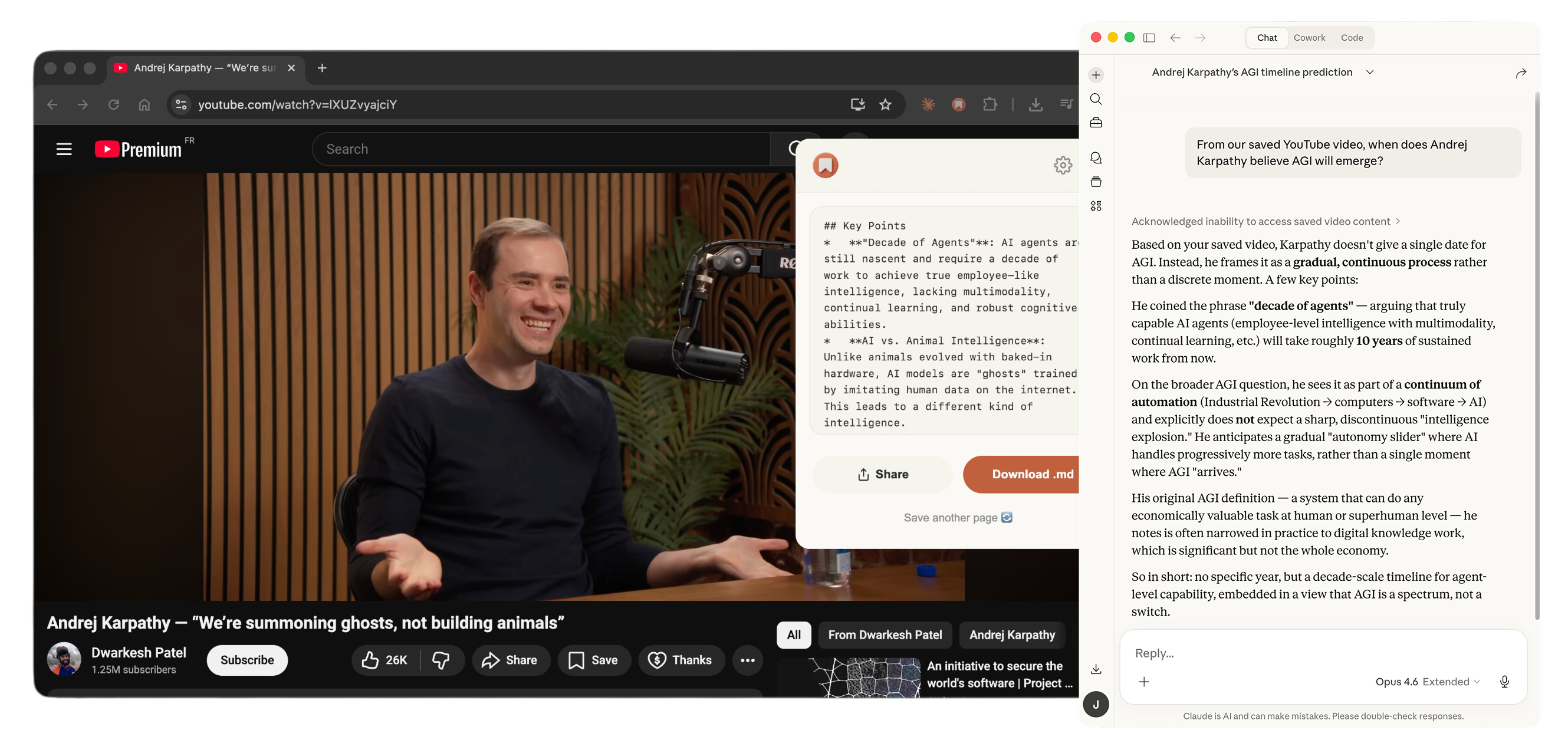
What is Save?
Save is a browser extension that converts any webpage, video, or article to clean Markdown with one click. It works across 50+ website categories — from Twitter threads and YouTube transcripts to Amazon products and GitHub repos.
Install Save Vault, the free macOS companion app, and every page you save is automatically stored in a local knowledge base on your Mac. Organize your saves into topics, and your knowledge library grows as you browse.
Connect Save Vault to Claude, and everything you've saved becomes instant context for your AI. Claude can search your knowledge base, reference your saved articles, and give you answers grounded in what you actually read — not just generic training data.
Why Markdown over other formats?
| Format | Readability | AI-Ready | Preserves Structure | Works with Obsidian/Notion |
|---|---|---|---|---|
| Raw HTML | Low | No — bloated with tags | Yes | No |
| Plain Text | Medium | Partial | No — loses formatting | Partial |
| Medium | No — hard to parse | Yes | No | |
| Markdown | High | Yes — minimal tokens | Yes | Yes — native support |
How does Save compare to other web clippers?
| Feature | Save | MarkDownload | Copy as Markdown |
|---|---|---|---|
| AI-powered extraction | Yes | No | No |
| YouTube transcripts | Yes — AI-summarized | No | No |
| Twitter/X threads | Yes — full threads | Partial | No |
| Instagram Reels & TikTok | Yes — audio transcription & captions | No | No |
| E-commerce pages | Yes — structured data | No | No |
| Removes ads/clutter | AI-powered | Basic | No — copies selection |
| Site-specific prompts | 50+ categories | No | No |
| Free tier | 3 saves/month | Unlimited | Unlimited |
How it works
One-Click Save
Click the extension icon on any webpage, video, or article. Get clean Markdown instantly.
Save Vault
Your saves are automatically organized into a personal knowledge base on your Mac.
Ask Claude
One toggle in Save Vault connects your knowledge to Claude. Ask anything.
Frequently Asked Questions
Ready to unlock superintelligence?
Join thousands of users who turn their browsing into a personal knowledge base for Claude.
Add to Chrome 🐿️